
CapCut Review: An Affordable and Easy-to-Use Video Editing Tool for Beginners and Content Creators
Looking for an easy and affordable way to create professional-looking videos? In this review, we explore CapCut's features, pricing, pros and cons, and why it has become one of the most popular video editing tools for beginners, content creators, and small businesses. Discover how CapCut can help you create engaging videos quickly without the steep learning curve or high cost of traditional editing software.
6/11/20264 min read
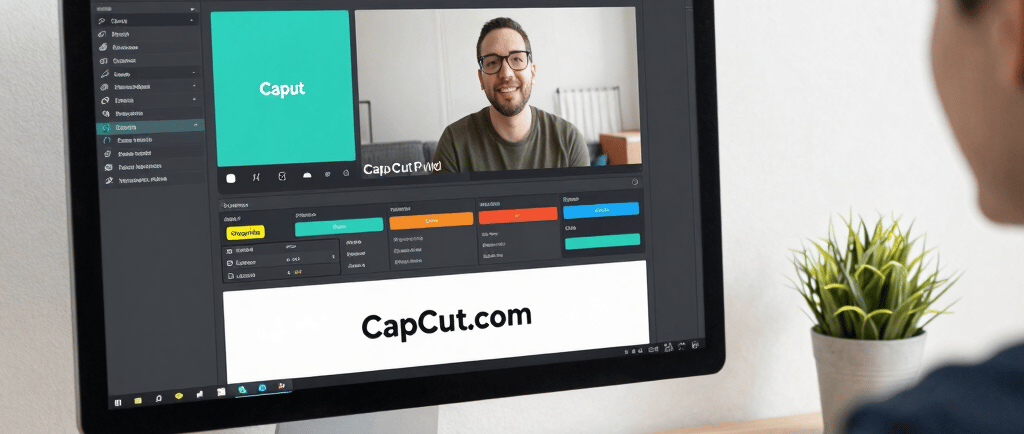
CapCut Review: An Affordable and Easy-to-Use Video Editing Tool for Beginners and Content Creators
If you've spent any time on TikTok, YouTube Shorts, Instagram Reels, or Facebook videos, there's a good chance you've already seen content created with CapCut. Over the past few years, CapCut has become one of the most popular video editing platforms available, attracting millions of creators who want professional-looking videos without the complexity and high cost of traditional editing software.
In this review, we'll take a detailed look at CapCut, including its strengths, weaknesses, pricing, ease of use, and whether it's worth considering for your content creation needs.
If you'd like to learn more or try CapCut for yourself, you can visit:
https://capcutaffiliateprogram.pxf.io/E0OJjn
What Is CapCut?
CapCut is a video editing platform developed by ByteDance, the company behind TikTok. It offers a variety of editing tools designed for beginners, hobbyists, marketers, and even experienced content creators.
CapCut is available on:
Windows
Mac
Android
iPhone
Web browser
One of the reasons CapCut has become so popular is its ability to create professional-looking videos with very little learning curve.
Whether you're editing a vacation video, a business promotion, a YouTube Short, or a TikTok clip, CapCut provides tools that help simplify the process.
Ease of Use: One of CapCut's Biggest Advantages
One of the first things users notice about CapCut is how easy it is to use.
Unlike many traditional editing platforms that can feel overwhelming, CapCut's interface is clean, intuitive, and beginner-friendly.
Most users can:
Import video clips
Trim footage
Add music
Add text
Apply transitions
Export videos
within minutes of opening the software.
The drag-and-drop workflow makes editing simple, even for someone with no previous experience.
This ease of use is one of the primary reasons CapCut has gained such a large following among social media creators.
If you've been avoiding video editing because it seemed too complicated, CapCut is one of the easiest tools available today.
You can explore the platform here:
https://capcutaffiliateprogram.pxf.io/E0OJjn
Features Included with CapCut
CapCut includes a surprisingly large number of features considering its low cost.
Some notable features include:
Video Editing Tools
Trimming
Splitting clips
Cropping
Speed adjustments
Multi-layer editing
Keyframe animation
Audio Features
Music integration
Voice recording
Sound effects
Audio extraction
Noise reduction
Text and Captions
One of CapCut's most impressive features is automatic caption generation.
This allows creators to:
Generate subtitles automatically
Improve accessibility
Increase viewer engagement
Save significant editing time
Templates
CapCut offers hundreds of pre-made templates.
These templates allow users to create polished videos quickly without needing advanced editing skills.
This is particularly useful for:
TikTok creators
Instagram users
Small business owners
Affiliate marketers
AI Features
CapCut continues to add artificial intelligence tools including:
Background removal
Auto captions
AI avatars
AI voice generation
Text-to-video features
Image enhancement
These tools can significantly reduce editing time.
Cost Effectiveness
One of CapCut's strongest selling points is affordability.
Professional editing software can often cost hundreds of dollars per year.
Some competing platforms require monthly subscriptions that quickly add up.
CapCut offers:
Free Version
The free version includes many useful features and is often enough for casual users.
This alone makes it one of the most cost-effective editing solutions available.
CapCut Pro
For users who want access to premium effects, templates, AI features, and cloud storage, CapCut Pro remains relatively affordable compared to many competitors.
For content creators, the time saved through automation can easily justify the subscription cost.
If you're considering upgrading, you can check current offers here:
https://capcutaffiliateprogram.pxf.io/E0OJjn
Pros of CapCut
1. Extremely Easy to Learn
Perhaps CapCut's biggest advantage is its simplicity.
Even users with no editing experience can create attractive videos quickly.
2. Excellent Mobile Experience
Many video editors focus primarily on desktop users.
CapCut performs exceptionally well on mobile devices, making it ideal for creators who edit on the go.
3. Powerful Free Version
Many editing platforms restrict useful features behind paywalls.
CapCut's free version remains surprisingly capable.
4. Great for Social Media
CapCut is optimized for:
TikTok
Instagram Reels
Facebook Reels
YouTube Shorts
This makes it particularly valuable for modern content creators.
5. AI Features Save Time
Automatic captions, AI editing tools, and template systems help reduce editing time significantly.
6. Cross-Platform Availability
Users can edit from nearly any device.
This flexibility is convenient for both casual and professional creators.
Cons of CapCut
No software is perfect, and CapCut has some limitations.
1. Some Features Require Pro
While the free version is strong, certain templates, effects, and AI tools require a paid subscription.
2. Cloud-Based Features Depend on Internet Access
Some advanced features work best with a reliable internet connection.
Users with slower internet may occasionally experience delays.
3. Not as Advanced as Professional Editing Suites
For Hollywood-level productions or highly complex projects, dedicated professional software may still offer greater control.
Examples include:
Adobe Premiere Pro
DaVinci Resolve
Final Cut Pro
However, most everyday users will never need those advanced capabilities.
4. Resource Usage
Large projects can occasionally place demands on older computers.
Users with limited hardware may notice slower performance on complex edits.
Who Should Use CapCut?
CapCut is ideal for:
Content Creators
If you're creating content for:
TikTok
YouTube
Instagram
Facebook
CapCut is one of the best options available.
Small Business Owners
Businesses can create:
Product videos
Promotional content
Educational videos
Customer testimonials
without hiring a professional editor.
Affiliate Marketers
Affiliate marketers often need to produce large amounts of video content quickly.
CapCut helps streamline that process.
Beginners
This may be the software's strongest audience.
Many people who struggle with traditional editing platforms find CapCut approachable and easy to understand.
Final Verdict
CapCut has earned its reputation as one of the most popular video editing platforms available today.
Its combination of affordability, ease of use, AI-powered tools, and cross-platform accessibility makes it an excellent choice for beginners and experienced creators alike.
While it may not replace high-end professional editing suites for large-scale productions, it provides more than enough functionality for the vast majority of content creators.
If your goal is to create attractive, engaging videos without spending months learning complicated software, CapCut is definitely worth considering.
Overall Rating
Ease of Use: 9.5/10
Features: 9/10
Value for Money: 9.5/10
Beginner Friendliness: 10/10
Overall Score: 9.3/10
Want to see if CapCut is right for you?
Learn more here:
https://capcutaffiliateprogram.pxf.io/E0OJjn
Whether you're creating content for fun, building a business, or growing a social media presence, CapCut offers an impressive balance of simplicity, power, and affordability that few competitors can match.
Reviews
Honest product reviews to help your decisions.
Contact
contact@justasec.me
© 2025. All rights reserved.